
UI/UX Design Career Roadmap for Beginners: Skills, Projects and How to Get Started
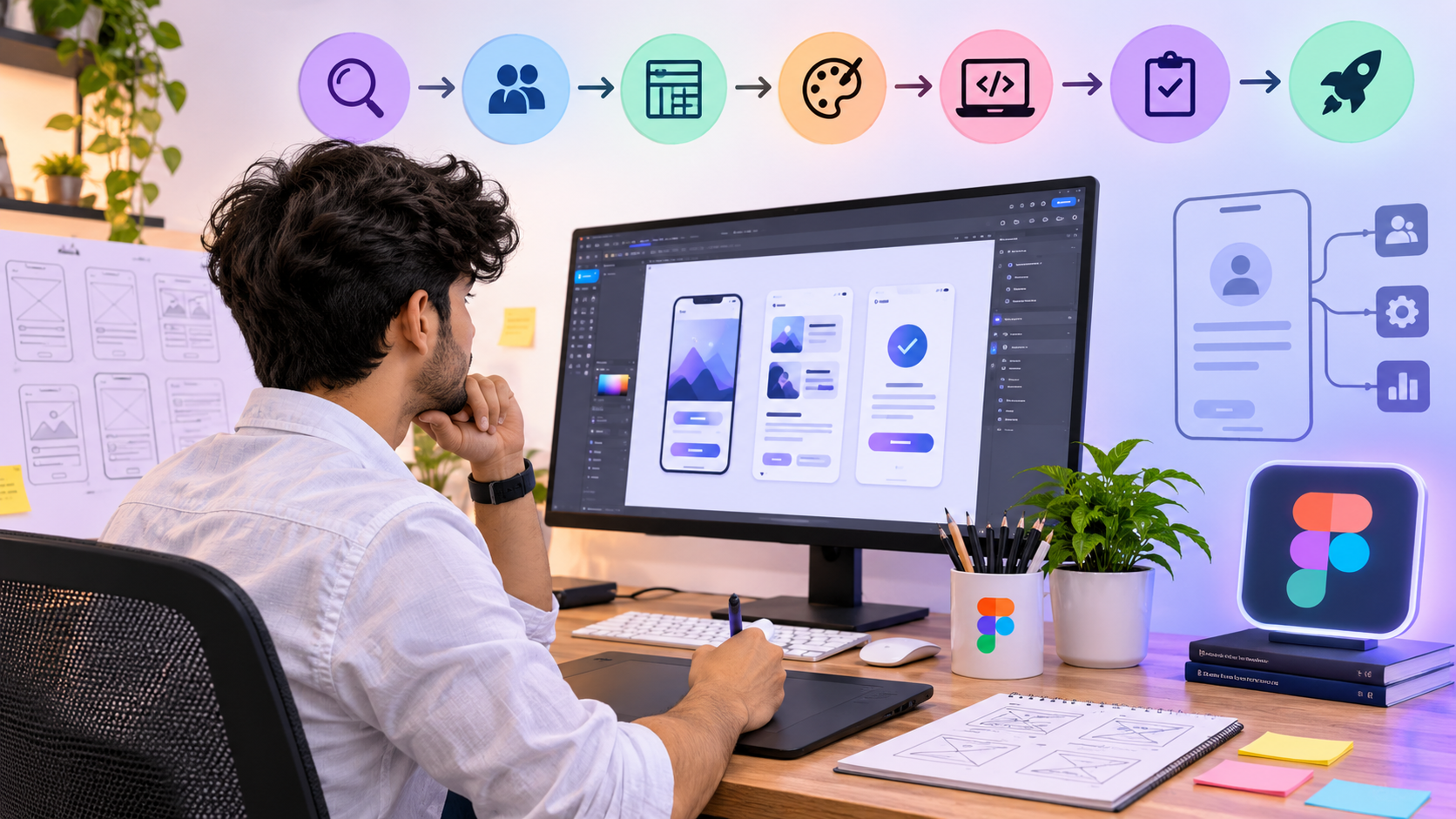
If you are exploring UI/UX design for beginners, do not start by copying attractive app screens or learning every feature of a design tool. Start by understanding a user's goal, finding where the current experience is confusing, organising information, designing a clearer interface and checking whether people can use it.
UI/UX design combines problem-solving with visual and interaction design. Tools such as Figma can help you build wireframes and interactive prototypes, but a strong project also explains why a design decision was made, what evidence informed it and what changed after testing.
This guide gives you a practical UI/UX design roadmap: the skills to learn, the sequence from UX research to usability testing, project ideas for beginners, a portfolio case-study structure and an eight-week practice plan. Timelines vary with prior experience, practice and feedback; this is a learning framework, not a job-readiness guarantee.
Quick answer: how to start UI/UX design
- Learn usability, visual hierarchy, typography, spacing, colour contrast and accessibility basics.
- Choose a small problem and research how people currently handle it.
- Turn the findings into a problem statement, user journey and user flow.
- Create low-fidelity wireframes before polishing visual screens.
- Build a consistent UI and clickable prototype in Figma or a similar tool.
- Run task-based usability tests, observe friction and revise the design.
- Present the project as a case study showing research, decisions, iterations and limitations.
1. What is UI/UX design?
UX (user experience) focuses on the overall experience: what users are trying to achieve, how they move through a product and where they encounter friction. UI (user interface) focuses on the interface people interact with, including layout, typography, colour, buttons, forms, components and interaction states.
The disciplines overlap. A designer may research a problem, organise content, map a user flow, create wireframes, design high-fidelity screens and test a prototype. Some organisations split these responsibilities across specialists; others expect a UI/UX or product designer to work across several stages.
2. UI/UX design skills for beginners
| Skill | What to practise | Evidence in project |
|---|---|---|
| User-centred thinking | Define the user, goal and problem before sketching screens. | A clear problem statement. |
| UX research | Interview or observe suitable participants; review alternatives; separate evidence from assumptions. | Research notes and themes, with limitations. |
| Information architecture | Group content and label navigation clearly. | A simple sitemap or content structure. |
| User flows | Map steps, decisions, errors and recovery paths. | A task flow from start to completion. |
| Wireframing | Explore structure before visual polish; compare alternative layouts. | Low-fidelity screens and rationale. |
| Visual UI design | Practise typography, spacing, grids, contrast, hierarchy, components and consistency. | A coherent set of screens and components. |
| Prototyping | Connect screens and model key interactions. | A clickable prototype. |
| Usability testing | Give realistic tasks, observe without coaching and prioritise issues. | A test plan, observed issues and revisions. |
| Accessibility and responsive design | Check contrast, labels, focus states, touch targets and narrow layouts. | Accessibility and responsive checks. |
| Communication and handoff | Explain decisions and document interface states for development. | A readable case study and handoff notes. |
3. Step-by-step UI/UX design roadmap
Step 1 — Learn the fundamentals
Study visual hierarchy, typography, spacing, grids, contrast, consistency and basic usability. Review three websites or apps you use and identify one specific point of friction in each.
Deliverable: a short critique with observations and screenshots or sketches.
Step 2 — Conduct beginner UX research
Choose a narrow problem. Speak with a few people who fit the intended audience. Ask about recent behaviour and difficulties rather than whether they like your idea. Record what participants actually say separately from your interpretation.
Deliverable: research questions, anonymised notes, themes and a problem statement. Get consent before recording or publishing participant information.
Step 3 — Define the task and user flow
Describe the user's goal and map the steps needed to complete it. Include decision points, error states and recovery. Keep the flow focused on one meaningful task.
Deliverable: one user journey or task flow.
Step 4 — Make low-fidelity wireframes
Sketch multiple layouts using paper or a digital tool. Concentrate on information order, navigation and action clarity rather than colour or decoration. Ask for feedback before choosing a direction.
Deliverable: wireframes covering the complete task, not only a home screen.
Step 5 — Design the interface
Develop typography, spacing, grid alignment, contrast, reusable components and responsive behaviour. Consider empty, loading, error and success states as well as the ideal path.
Deliverable: high-fidelity screens and a small component library.
Step 6 — Prototype the key flow
Connect screens and define interactions so another person can attempt the task. Check that buttons and links have meaningful outcomes and that the prototype can be used without constant explanation.
Deliverable: a clickable prototype.
Step 7 — Test and iterate
Give participants realistic tasks and observe hesitation, errors and misunderstandings. Avoid teaching them during the test. Group issues by severity, revise the design and test again where practical. Small samples reveal useful issues but do not represent every user.
Deliverable: a test plan, evidence-based findings, prioritised changes and before/after screens.
Step 8 — Write the case study
Explain the context, your role, the problem, research, flow, alternatives, prototype, testing, revisions and limitations. Label concept work honestly; do not imply a real organisation commissioned it if it did not.
Deliverable: one complete case study that shows reasoning as well as final visuals.
4. Worked example: improving a course-enquiry flow
The following is an illustrative practice brief for a beginner portfolio project. It is not a report of actual Design Engine Saket research, student testing or business results.
The design challenge
A prospective student wants to understand a course, check basic eligibility and ask for more information. The design task is to make the next step understandable without overwhelming the student with too much information at once.
A sensible process
- Research: Ask prospective users how they compare courses and what information they need before enquiring. Record actual findings; do not pre-fill conclusions.
- Problem statement: Write a concise statement based on the evidence gathered. If research has not yet happened, label the statement as a hypothesis.
- Flow: Map course overview → review curriculum and eligibility → enter contact details → check details → confirmation.
- Wireframes: Design the content hierarchy and form order before choosing colours and decorative elements.
- UI and prototype: Make field labels, required fields, consent text and error feedback clear; prototype both successful and unsuccessful form paths.
- Usability test: Ask participants to find eligibility information and submit a sample enquiry. Observe where they hesitate or misunderstand instructions.
- Iteration: Revise only in response to observed issues or clearly stated design rationale; report what was actually changed.
Sample usability-test plan
| Item | Plan |
|---|---|
| Research question | Can a prospective student find eligibility information and understand how to submit an enquiry? |
| Participants | A small number of people who resemble the intended audience; record recruitment limits. |
| Task | “You are comparing this course. Find the eligibility information and show how you would request more details.” |
| Observe | Completion, hesitation, backtracking, field errors, questions and points of confusion. |
| Record | Task notes and anonymised observations; ask permission before recording. |
| Report | Separate observed evidence from interpretation. Do not claim success rates or improvements unless they were actually measured. |
5. UI/UX portfolio projects for beginners
A smaller, well-explained project can be more persuasive than a large gallery of polished screens without a clear problem or process.
| Project idea | Problem to explore | Skills shown |
|---|---|---|
| Course enquiry or admission flow | Help a prospective student compare a programme, check requirements and send an enquiry. | Information architecture, forms, error states and mobile usability. |
| Appointment booking | Help someone choose a service, select a time and confirm a booking. | Task flows, availability, confirmation and recovery. |
| Local service discovery | Help users compare services using relevant details and take the next step. | Search/filter patterns, content hierarchy and trust signals. |
| E-commerce checkout | Explore possible confusion during checkout and ways to make the flow clearer. | Validation, progress, form usability and accessibility. |
| Student dashboard | Help students locate schedules, attendance, assignments and announcements. | Information hierarchy, navigation and responsive layout. |
6. What a strong UI/UX portfolio case study includes
- Project summary: Problem, audience, your role, timeframe and whether the project is self-initiated.
- Research method: Who participated, what you asked or observed, key themes and sample limitations.
- Problem definition: The user need you chose to address and why.
- Structure: Journey map, information architecture or user flow where useful.
- Exploration: Wireframes, alternatives and reasons for selecting a direction.
- Final UI: Important screens, responsive behaviour, reusable components and interaction states.
- Prototype and testing: Task prompts, observed friction, changes made and remaining questions.
- Reflection: What you learned, limitations and what you would investigate next.
- Evidence integrity: Never invent user quotes, test results, conversion lifts, client names or business impact.
7. An eight-week beginner practice plan
| Week | Focus | Output |
|---|---|---|
| 1 | UI/UX basics and visual fundamentals | Critique three digital products. |
| 2 | Choose a problem and plan research | Interview guide and research notes. |
| 3 | Synthesis and task flow | Problem statement and user flow. |
| 4 | Low-fidelity wireframes | Wireframes for the main task. |
| 5 | Visual UI and components | High-fidelity screens. |
| 6 | Interactive prototyping | Clickable prototype. |
| 7 | Usability testing and iteration | Observed issues and revised screens. |
| 8 | Case-study writing and presentation | A complete case study for feedback. |
Treat this as a first-project schedule, not a promise that eight weeks is enough to qualify for a job. Repeat steps where the evidence or design quality is weak.
8. Common mistakes UI/UX beginners should avoid
- Polishing screens before understanding the user problem.
- Learning Figma features without practising research, interaction and information structure.
- Presenting assumptions or invented personas as real research.
- Skipping usability tests because the screens look finished.
- Showing final mock-ups without alternatives, decisions or iterations.
- Copying a popular interface without explaining the problem being solved.
- Ignoring accessibility, mobile layouts, error states and edge cases.
- Claiming guaranteed employment or invented product outcomes.
9. Do you need coding or a design degree?
Coding is not a universal prerequisite for starting UI/UX design. Basic HTML and CSS can help you understand implementation constraints and collaborate with developers. Education requirements vary by employer and role. A course or certificate may provide structure, but it does not automatically prove design ability. Review actual job descriptions and build projects that demonstrate problem-solving, research, interaction design and communication.
10. How to choose a UI/UX design course
Compare programmes by the learning and feedback they provide, not only by the tools named in an advertisement. Ask for the current syllabus, guided practice hours, research and usability-testing exercises, portfolio reviews, accessibility coverage, class format, total fees and the exact certificate or qualification awarded.
- Does the syllabus cover research, user flows, wireframing, prototyping and usability testing?
- Will learners complete end-to-end projects and explain their design decisions?
- Do instructors critique work at multiple stages?
- Will the final portfolio include case studies rather than only visual screens?
- Are duration, eligibility, fees and qualification details clearly documented?
- Can you inspect relevant student work with permission?
11. Frequently asked questions
What is the best way to start UI/UX design for beginners?
Learn usability and visual principles, investigate a real problem, practise research and flows, create wireframes and a prototype, test it and document the iterations.
Is Figma enough to become a UI/UX designer?
Figma is useful for interface design and prototyping, but a tool alone is not enough. You also need problem framing, research, interaction design, visual fundamentals, testing and communication.
What is the difference between UI and UX design?
UX focuses on the overall experience and how well people can complete goals. UI focuses on the interface elements and visual presentation. The work often overlaps.
How many projects should a beginner UI/UX portfolio have?
Start with one complete, well-documented case study and add projects that demonstrate different skills. Quality and process matter more than an arbitrary project count.
Do I need coding to learn UI/UX design?
Coding is not required for every role. Basic HTML and CSS can help you understand how interfaces are built and communicate with developers.
How long does it take to learn UI/UX design?
It depends on prior skills, practice time and feedback. An eight-week plan can structure a first project, but it does not guarantee professional readiness.
What should a UI/UX case study show?
The problem, research approach, insights, flow, wireframes, final interface, prototype, usability findings, iterations and limitations.
Can I switch to UI/UX design from another field?
Potentially. Identify transferable skills, learn the core process and build projects that demonstrate your design judgement. Check requirements for your target roles.
12. Explore UI/UX learning options at Design Engine Saket
If you are considering structured UI/UX learning, compare the current UI/UX Digital Product Design programme information with your goals. Ask to review the latest syllabus, practical assignments, instructor feedback, prototype and usability-testing work, portfolio support, eligibility, duration, fees and exact qualification details. Choose a programme based on the skills and evidence it helps you develop, not an unverified promise of employment.
Review relevant student projects and speak with the team about the current curriculum.